
Missing a single dose of medication can lead to serious health setbacks for older adults, but the right reminder system ensures pills are taken correctly, on time, every time. Whether your loved one manages multiple prescriptions or simply needs a gentle nudge twice a day, medication reminder services range from simple smartphone apps and automated pill dispensers to professional monitoring programs that alert family members when doses are missed.
Forgetting medications is one of the most common challenges seniors face at home. One daughter recently shared how her mother’s blood pressure spiked dangerously after skipping just three days of her heart medication, not because she chose to stop, but because she genuinely couldn’t remember if she’d already taken it that morning. This scenario plays out in thousands of households daily, and it’s rarely about willfulness or cognitive decline. Memory lapses happen to everyone, and when you’re juggling four or five different prescriptions with varying schedules, keeping track becomes genuinely difficult.
The good news? Technology and smart planning have made medication adherence simpler than ever in 2026. You can choose solutions that match your parent’s comfort level with technology, budget, and the complexity of their medication regimen. Some families start with a basic pill organizer and phone alarm, while others need dispensers that lock between doses or services that call both the senior and their caregiver when it’s time for medication.
This guide walks you through assessing your loved one’s specific needs, selecting the right reminder solution, setting it up safely, and verifying that it’s working effectively. The goal isn’t just medication compliance; it’s preserving your parent’s independence while giving everyone peace of mind.
Understanding Medication Reminder Services: What You Need to Know

Medication reminder services have evolved significantly, giving families more options than ever to support their loved ones’ independence while ensuring safety. Understanding which type of service aligns with your parent’s or loved one’s needs can make the difference between a tool that truly helps and one that sits unused.
App-Based Reminders
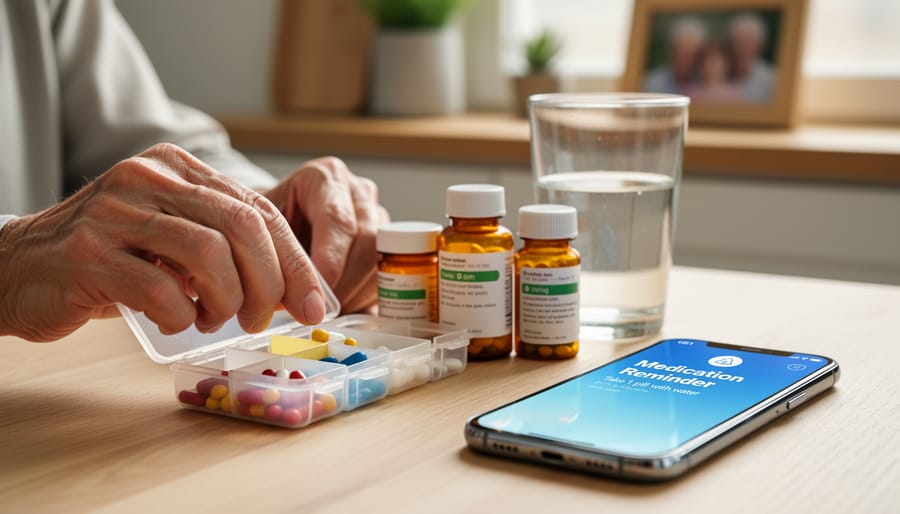
Smartphone and tablet applications offer the simplest entry point for seniors comfortable with technology. These apps send notifications at scheduled times, often allowing family members to receive alerts if a dose is marked as missed. They work well for cognitively sharp seniors who already use devices regularly and can manage opening pill bottles independently. The limitation? They require your loved one to actually take the medication, there’s no physical barrier preventing them from dismissing the alert and forgetting minutes later.
Automated Pill Dispensers
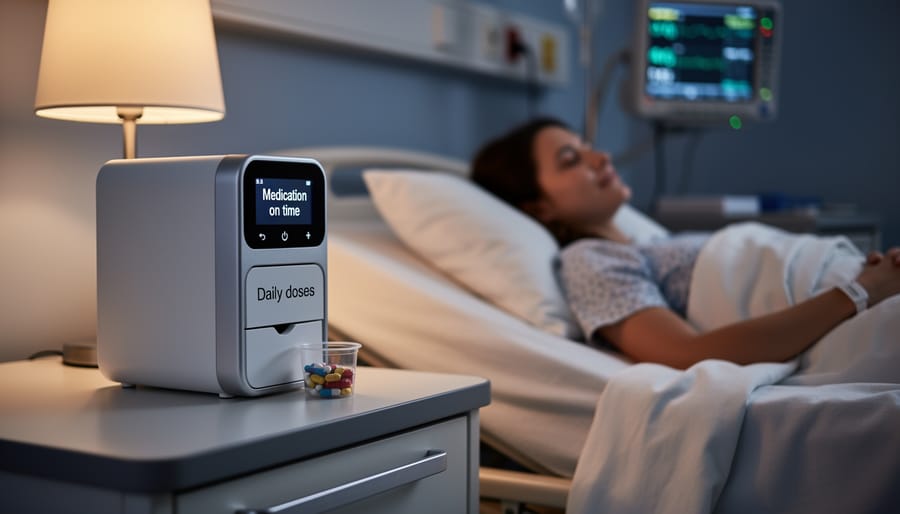
These devices range from simple locked boxes with timed alarms to sophisticated systems that dispense pre-sorted medications and alert family members remotely. The physical design prevents double-dosing and makes it obvious whether medications were taken. Automated dispensers suit seniors who need more structure than an app provides but can still follow prompts independently. Some models integrate with telehealth monitoring systems, providing an extra layer of oversight.
Caregiver-Assisted Reminders
For many families, the most reliable option involves a trained professional who visits at medication times. This approach works when cognitive decline, complex regimens, or physical limitations make self-administration risky. A caregiver can observe your loved one taking medications, note any side effects, and adjust based on mobility and routine changes. It’s the most personalized option, though also the most expensive.
Telehealth Monitoring Systems
These comprehensive platforms combine automated dispensing with video verification and real-time health tracking. A care team receives immediate alerts about missed doses or concerning patterns. Telehealth monitoring fits situations where medical complexity demands professional oversight but your loved one still lives independently.
Most medication reminder services function as one component of broader senior health monitoring. They work best when coordinated with regular check-ins, healthcare provider communication, and attention to changes in your loved one’s condition. The right service should feel supportive rather than intrusive, respecting independence while providing the safety net both of you need.
What You’ll Need Before You Start
Before you choose a medication reminder service or start setting one up, gather the essential information and materials that will make the process smooth and successful. Having everything organized upfront saves time, prevents frustration, and ensures you configure the system correctly from the start.
The most critical item is a complete, current medication list. This isn’t just the names of pills, you need dosages, frequencies, and timing for each medication your loved one takes. Include prescriptions, over-the-counter medications, vitamins, and supplements. If you’re unsure about any details, call your loved one’s pharmacy for a complete printout. Many pharmacies can provide this within minutes, and it’s far more accurate than trying to read tiny labels on pill bottles.
You’ll also need contact information for all prescribing doctors. Medication reminder services work best when they’re part of a coordinated care plan, and you may need to verify instructions or ask questions during setup. Having these numbers handy prevents delays.
Your pharmacy’s contact details matter too, especially if the service includes automatic refill coordination. Know the pharmacy name, location, phone number, and your loved one’s account or prescription number if available.
Understanding your loved one’s daily routine is just as important as the medical details. Note when they wake up, eat meals, go to bed, and any activities that could anchor medication times. A reminder that interrupts a cherished morning walk won’t be followed, but one that aligns with breakfast becomes part of the routine naturally.
Here’s your complete pre-setup checklist:
- Complete medication list with dosages, frequencies, and timing instructions
- Contact information for all prescribing physicians
- Pharmacy name, location, phone number, and account details
- Your loved one’s daily schedule and routine preferences
- Smartphone, tablet, or device if using app-based reminders
- Family contact information for alert notifications
- List of any medication allergies or adverse reactions
- Insurance information if the service requires coverage verification
If you’re considering a technology-based solution, determine whether your loved one has a smartphone or tablet, and whether they’re comfortable using it. For seniors who aren’t tech-savvy, you might need a dedicated device or a simpler automated dispenser instead.
Finally, identify which family members should receive alerts when medications are taken or missed. Collect their phone numbers and email addresses. This backup notification system provides peace of mind and ensures someone can follow up quickly if a dose is skipped. Most families designate two or three people to avoid alert fatigue while maintaining reliable oversight.
Important Safety Considerations and When to Seek Professional Help
Before you set up any reminder system, you need to recognize when reminders alone aren’t enough to keep your loved one safe. Not every senior is a good candidate for reminder services, and pushing forward without honest assessment can lead to serious medication errors.
Watch for these signs that your loved one needs more than automated alerts. If they frequently forget they’ve already taken medications and risk double-dosing, a simple reminder won’t solve the problem. Cognitive decline that affects judgment means they might hear the alert but make unsafe decisions about whether to take the pills. Swallowing difficulties require professional oversight, as do complex medication regimens involving multiple pills at different times with specific food requirements. These situations demand hands-on support from trained caregivers.
Physical limitations matter too. Arthritis that prevents opening pill bottles, vision problems that make reading labels impossible, or balance issues that create elderly fall prevention concerns when walking to get water, all of these require caregiver involvement, not just digital prompts.
Involve healthcare professionals immediately if you notice medication stockpiling (pills accumulating because doses are skipped), confusion about which pills are which, or any adverse reactions your loved one can’t articulate clearly. Your pharmacist can review the medication list for dangerous interactions, and the prescribing doctor should know if adherence is becoming difficult. For seniors with advancing dementia, specialized Alzheimer’s support programs provide the comprehensive monitoring that technology cannot replace.
Reminder services are valuable tools for seniors who can manage their medications independently but need prompts. They’re not substitutes for medical supervision, professional caregiving, or family involvement when cognitive or physical abilities decline.
Step-by-Step: Setting Up Your Medication Reminder System
Step 1: Assess Your Loved One’s Needs and Abilities
Start by spending a day or two observing how your loved one currently manages their medications. Watch them open pill bottles, read labels, and remember to take doses. You’re looking for specific clues about what will work best.
Check their cognitive ability by asking them to explain their medication schedule. Can they recall which pills they take and when? Do they remember if they’ve already taken today’s dose? Notice whether they confuse similar-looking pills or struggle to follow multi-step instructions.
Physical dexterity matters more than most families realize. Arthritic hands may not open childproof caps or manipulate small buttons on electronic dispensers. Can your parent see tiny text on pill bottles? Do they have trouble swallowing, which might mean they need reminders timed with meals?
Ask direct questions about technology comfort. Some seniors embrace smartphones naturally, while others find them frustrating. There’s no shame in either preference.
The Rodriguez family discovered their father could manage his heart medication perfectly but forgot his evening pills because they disrupted his TV routine. They chose a simple alarm system that fit his existing schedule rather than forcing him to adapt to complex technology. Within two weeks, his adherence improved from 60% to 95%, and he felt more independent, not less.
Step 2: Choose the Right Reminder Service
Once you’ve assessed your loved one’s capabilities, it’s time to match them with the right solution. Start with ease of use, if your parent struggles with technology, a simple automated pill dispenser with audible alarms often works better than a smartphone app. For tech-comfortable seniors, medication reminder apps offer flexibility and detailed tracking.
Reliability matters enormously. Look for services with backup alerts (text messages to family members if a dose is skipped) and systems that don’t depend solely on Wi-Fi or battery power. Many families find peace of mind in dispensers that lock after the correct dose is taken, preventing accidental double-dosing.
Consider cost realistically. Basic reminder apps run $5-15 monthly, while advanced automated dispensers range from $30-80 monthly plus equipment fees. Check whether your loved one’s Medicare Advantage plan or supplemental insurance covers any portion, some do for chronic condition management.
The best choice preserves dignity. One daughter shared how her father initially refused “that robot pill thing” but embraced a watch-style reminder because it felt like wearing a regular timepiece. Frame the service as a helpful tool, not surveillance, and involve your loved one in the decision whenever possible.
Step 3: Organize the Medication Schedule
Creating an accurate medication schedule is the foundation of any effective reminder system. Start by gathering all prescription bottles, over-the-counter medications, vitamins, and supplements your loved one takes. Don’t rely on memory, physical verification prevents dangerous omissions.
Schedule a consultation with your loved one’s pharmacist. They’ll identify potential drug interactions, clarify confusing instructions like “twice daily” (does that mean every 12 hours or just morning and evening?), and consolidate medications when possible. Pharmacists often catch timing conflicts doctors miss when prescribing separately.
Create a written chart that lists each medication with its exact dosage, timing, and special instructions. Note whether pills should be taken with food, on an empty stomach, or with a full glass of water. For as-needed medications like pain relievers, document maximum daily doses and minimum time between doses.
Include both generic and brand names, this helps everyone involved in care use consistent language. Photograph the actual pills next to their bottles. This visual reference helps verify you’re programming the correct medication into your reminder system and makes it easier for your loved one to confirm they’re taking the right pill.
Step 4: Set Up and Test the System
Start by following the exact setup instructions that came with your chosen reminder system, every service works differently, and skipping steps now means fixing problems later. Program each medication reminder with specific details: the medication name, dosage, and time. If your loved one takes pills at 8 AM, 2 PM, and 9 PM, set those times precisely rather than rounding to general morning, afternoon, and evening slots.
Once programmed, test everything while you’re still there together. Take a test pill (use a vitamin or something harmless) when the first reminder sounds. Watch how your loved one interacts with the device or app. Can they easily see the alert? Hear the sound? Understand what action to take? This trial run reveals whether the volume needs adjusting, the screen brightness should increase, or the alert tone needs changing to something more distinctive.
Common setup issues typically involve notification settings. Check that “Do Not Disturb” mode won’t silence medication alerts, especially overnight. Verify backup alerts work, if your loved one misses the first reminder, will a second one sound? Test family notifications too: dismiss an alert yourself to confirm you receive the missed-dose message as expected.
Have your loved one explain back to you what they’ll do when they hear the reminder. This conversation often uncovers confusion that watching them can’t.
Step 5: Train Your Loved One and Backup Caregivers
Training begins with a conversation, not a demonstration. Explain that this system helps them stay independent, it’s a tool they control, not someone watching over them. Walk through the first reminder together when they’re relaxed and unhurried. Let them press the buttons, dismiss the alert, and retrieve the medication themselves while you observe.
Practice several scenarios: what happens if they’re away from home during a reminder, what to do if they’ve already taken that dose, how to mark a medication as taken. Resist the urge to take over when they hesitate. Patience here builds confidence that lasts.
Establish a backup network before problems arise. Designate at least two family members or trusted neighbors who’ll receive alerts if doses are missed. Show each backup caregiver how the system works and when they should check in versus intervene. Create a simple protocol: missed dose alert triggers a phone call first, then an in-person check if there’s no response within an agreed timeframe.
Document everything in a shared notebook or app, medication schedule, backup contacts, troubleshooting steps, so anyone stepping in knows exactly what to do.
How to Verify Your System Is Working
After you’ve set up your medication reminder system, the real work begins: confirming it’s actually keeping your loved one safe. The first week is critical for spotting issues before they become problems.
During the initial seven days, check in daily, either in person, by phone, or through the system’s notification features if available. Ask your loved one simple questions: Did the reminder go off? Was it easy to hear or see? Did you take the medication when prompted? Their honest feedback matters more than any app dashboard.
Watch the pill organizer or dispenser itself. If doses are disappearing on schedule, that’s a positive sign. If pills remain untouched or multiple doses vanish at once, you’ve identified a problem that needs immediate attention.
Monitor these key indicators during the first weeks:
- Medication containers or pill organizer compartments are empty at the right times
- Your loved one mentions the reminders without frustration or confusion
- Family notification alerts are arriving as expected
- No duplicate doses are being taken (check remaining pill counts)
- Your loved one can explain what each medication is for
- Reminder times align with daily routines (not interrupting meals or sleep)
- Warning sign: frequent missed doses or pattern of ignoring alerts
- Warning sign: confusion about which medication to take when reminder sounds
- Warning sign: complaints that reminders are annoying or too frequent
Track adherence with a simple notebook or shared digital document. Note each day whether medications were taken correctly, any issues that arose, and how your loved one responded. This record becomes invaluable when speaking with doctors or adjusting the system.
Contact your loved one’s healthcare provider if you notice three or more missed doses in a week, new confusion about medications, or any adverse reactions. Don’t wait for a scheduled appointment, medication issues require prompt attention. Most providers appreciate proactive caregivers who catch problems early.
Next Steps: Maintaining and Adjusting Your Reminder System
Getting your reminder system up and running is just the beginning. Successful medication management requires regular attention and occasional adjustments as your loved one’s needs change.
Plan to review the medication schedule monthly, even if everything seems to be working smoothly. Check that all reminders still match current prescriptions, doses haven’t changed, and the timing still fits your loved one’s daily routine. When doctors prescribe new medications or discontinue old ones, update the system immediately, don’t wait until the current supply runs out. Contact your pharmacy to confirm the exact timing requirements for new medications, especially if they need to be taken with or without food.
Watch for signs that your current system needs upgrading. If your loved one frequently forgets whether they’ve taken medication even with reminders, seems confused about which pill is which, or has experienced multiple missed doses, it may be time for a more hands-on solution. For seniors with progressing cognitive changes, med reminders for dementia often require caregiver involvement rather than automated alerts alone.
Consider how medication reminders fit into your loved one’s broader care picture. Services like OCSCO integrate medication assistance with comprehensive health monitoring, meal preparation, and daily check-ins, creating a safety net that supports independence while ensuring nothing falls through the cracks.
Common Questions About Medication Reminder Services
Families considering medication reminder services often have similar concerns. These questions reflect real worries about cost, effectiveness, and whether these tools will truly work for their loved one’s specific situation.
How much do medication reminder services cost, and will insurance cover them?
Basic app-based reminders are often free, while automated pill dispensers typically range from $30 to $300 depending on features. Most insurance plans don’t cover these devices directly, though some Medicare Advantage plans include them as wellness benefits. Ask your loved one’s provider about coverage options.
What happens if my parent misses a dose despite the reminder?
Many services send alerts to family members when a dose is skipped, allowing you to follow up with a phone call. Never have your loved one double up on the next dose without consulting their doctor first, as this can be dangerous with certain medications.
My mom values her independence and resists help. How do I introduce a reminder service?
Frame it as a tool that supports her independence, not a sign she’s losing it. Emphasize that it’s similar to calendar reminders for appointments or other daily activities, just like using timers for safe physical activities. Let her choose the type of reminder and involve her in the setup process to maintain her sense of control.
Are these services safe for someone with dementia or Alzheimer’s?
Simple reminder services can work in early stages when your loved one still recognizes the alert and remembers what to do. As cognitive decline progresses, you’ll likely need to transition to locked dispensers that only release the correct dose or move to direct caregiver assistance for medication administration.
What about privacy and data security with app-based reminders?
Choose services that comply with healthcare privacy regulations and clearly explain how they handle medical information. Read the privacy policy, ensure data is encrypted, and check whether the company shares information with third parties. Your loved one’s health information deserves strong protection.
These answers address the most immediate concerns, but every family’s situation is unique. If you’re unsure whether a reminder service is right for your loved one, or if you need help evaluating their current medication management abilities, consider consulting with their healthcare provider or a geriatric care specialist. They can assess your parent’s specific needs and recommend the most appropriate level of support.
Setting up a medication reminder service for your loved one is more than a practical task, it’s a meaningful way to protect their health while honoring their independence. Consistent medication adherence prevents hospitalizations, manages chronic conditions effectively, and gives your family member the confidence to maintain their daily routine safely.
You’ve taken an important step by learning how to implement these systems thoughtfully. The assessment, setup, and verification process you’ve walked through creates a foundation for safer, more independent living. Remember that this isn’t about taking control away from your loved one; it’s about providing the support that allows them to stay in charge of their own care.
If you find that medication reminders alone aren’t enough, or if your loved one needs additional support with daily activities, you’re not alone in navigating these decisions. OCSCO offers comprehensive in-home care services that include professional medication assistance, continuous family communication, and personalized support plans designed around your loved one’s specific needs and preferences.
Start with the assessment step today. The peace of mind that comes from knowing your loved one is taking their medications correctly is worth every moment you invest in setting up the right system.